






Description
Need More? MeetMetroY Ultra
—See What the Upgrade Delivers
Take a Closer Look
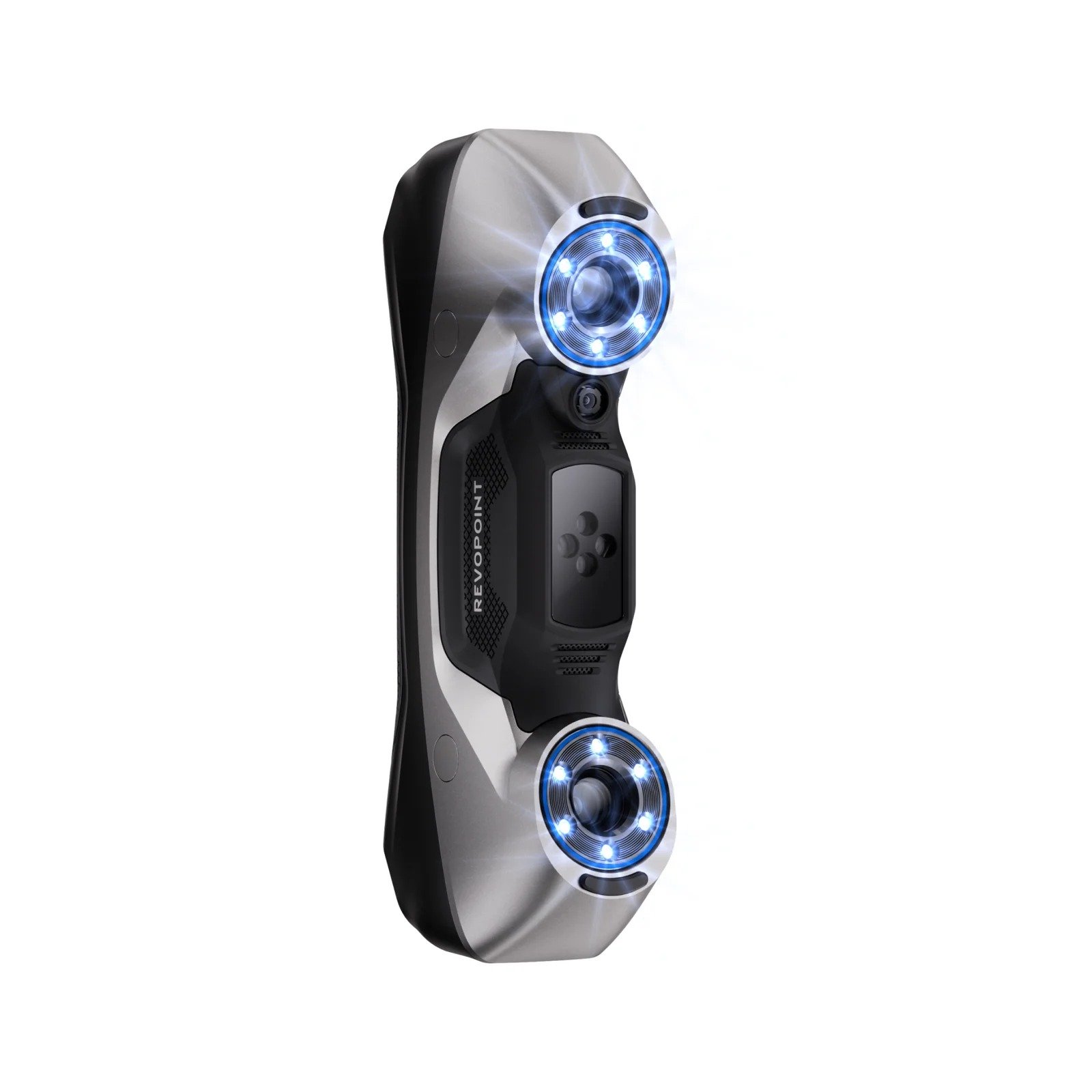
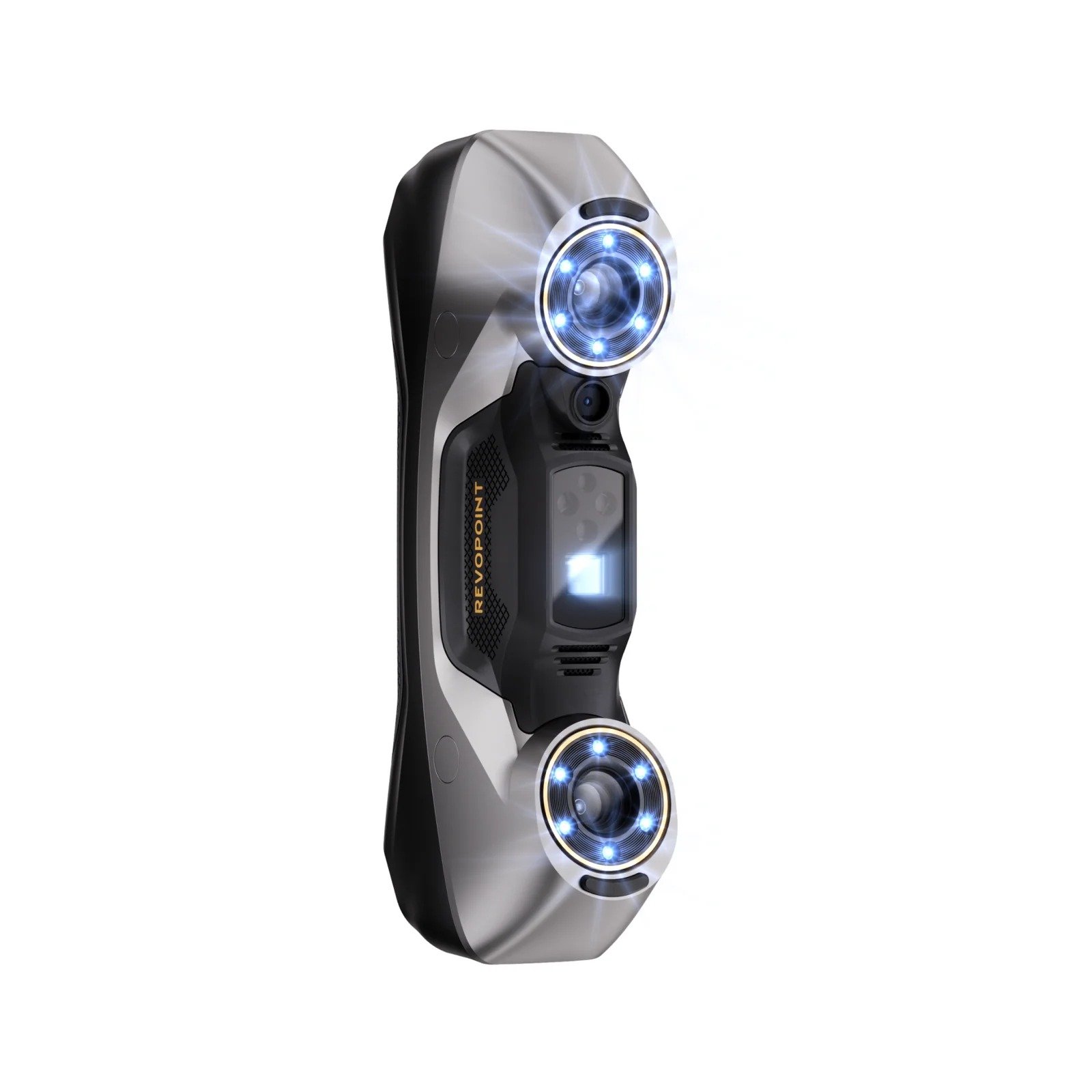
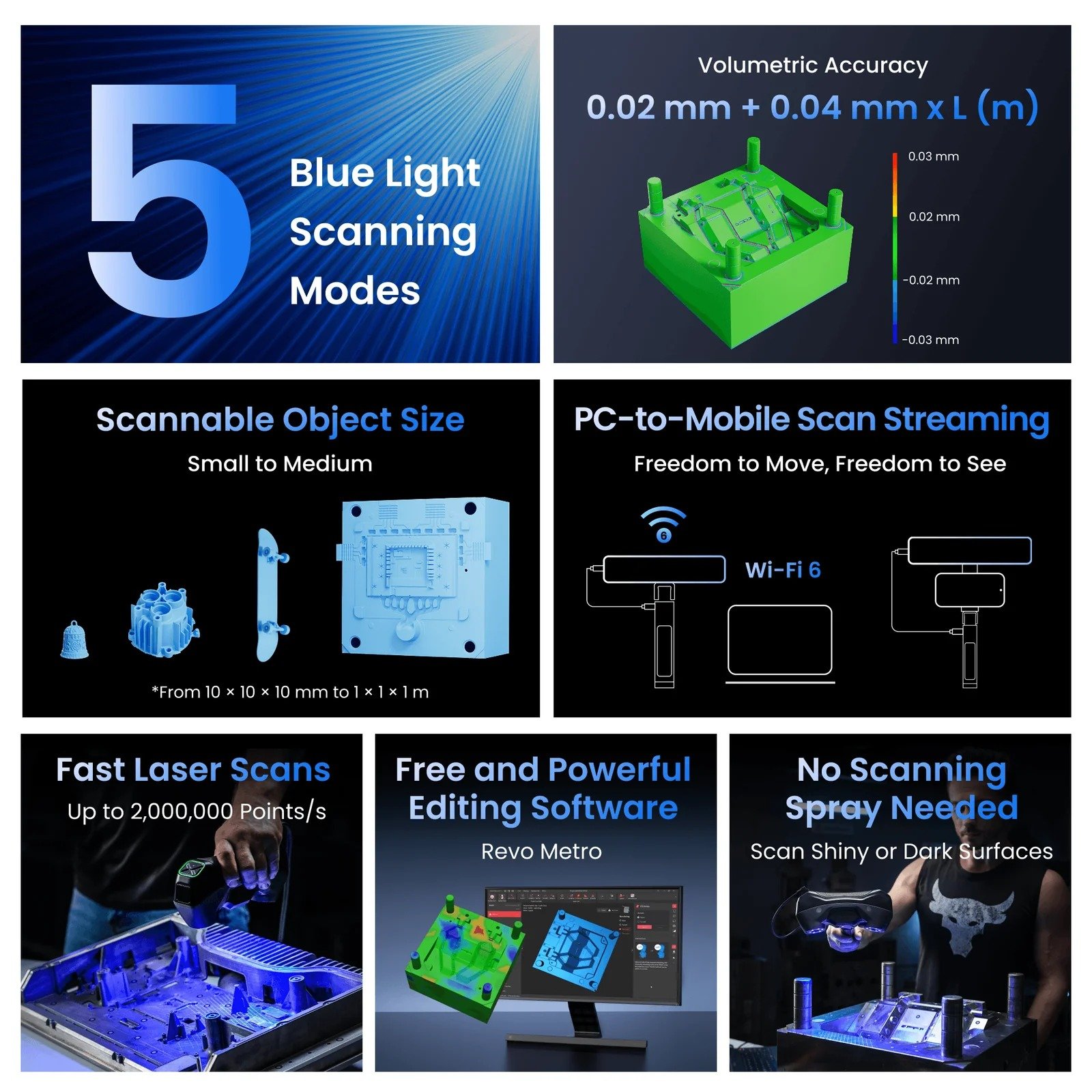
MetroY & MetroY Pro 3D ScannerVolumetric Accuracy:0.02 + 0.04 mm x L (m)5Blue Light Scanning ModesSmall to MediumObjects ScanningUp to34Cross LinesUp to15Parallel LinesAutomated TurntableScanning Mode
Fast Scans – Up to 34 Cross-lines
Captureflat surfacesandshiny or blackareaswithout using scanning spray.
Capture Details – Up to 15 Parallel Lines
Captureedges and complexsurfaces.
Scan Holes – Single Line Mode
Flawlessly capturedeep holes, crevices, and grills.
62-Line Full-field Structured Blue Light (Pro Only)
Scan feature-rich workpieces marker-free atup to 7,000,000 Points/s.
Auto Turntable Mode (Pro Only)
Create ultra-accurate models with one click usingMetroY Pro, Revo Metro, and theDual-axis Turntableto automate the scan.
Accuracy That Delivers
Volumetric Accuracy:0.02 + 0.04 mm x L (m)Fused Point Distance:Up to 0.05 mm
Fast Laser Scans
Up to2,000,000 Points/s
No Scanning Spray Needed
ScanShiny or DarkSurfaces
PC-to-Mobile Scan Streaming
Untether your 3D scanner and move freely withMetroY’s Wi-FiandRevo Mirrorto stream your scans.
Revo Measure – From 3D Scans to 3D Measurement
Import models created inRevo Metrodirectly intoRevo Measure.Evaluate theirshape, dimensions, and quality bycomparing point cloud or mesh data to CAD models or drawings.
Revo Design – Scans-to-CADs
Features powerfulmesh editing, freeform and parametric modeling, andscan-to-CAD workflows, ideal for reverse engineering, product development,and industrial design.
Real-time Temperature Monitoring
Temperature sensors monitor and display the scanner’s temperature in real time to helpmaintain accuracy.
HD RGB Camera
CreateVibrant 3D Models
Reviews on YouTube
Reviews on YouTube

MetroY

MetroY Pro

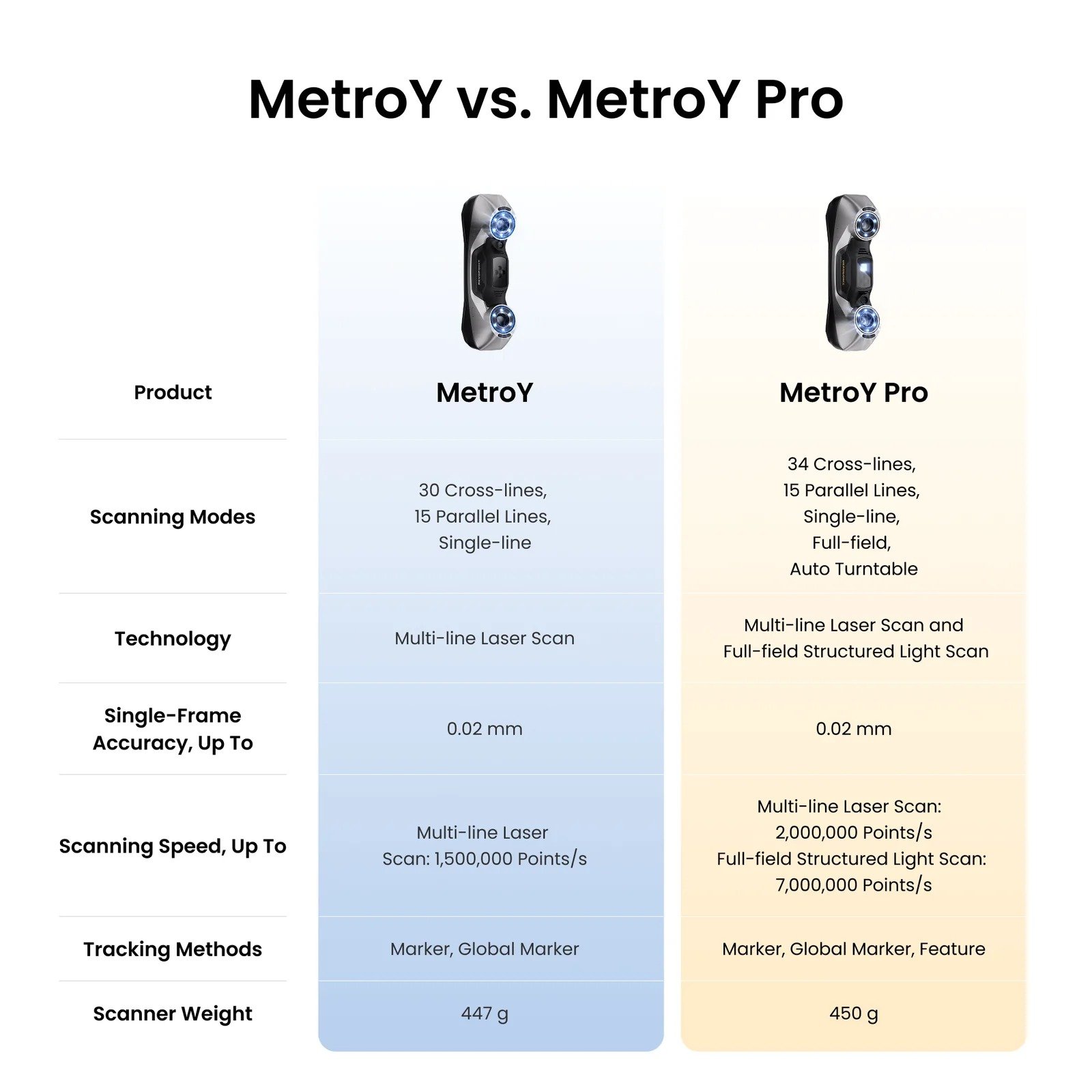
MetroY vs. MetroY Pro

Stay Updated with Revopoint
Enable desktop notifications to get instant alerts on new product launches, software updates, and exclusive offers — delivered directly to your screen.
Specifications 1
| Name | MetroY | MetroY Pro |
| Scanning Type | Handheld | Handheld and Desktop |
| Technology | Multi-line Laser Scan | Multi-line Laser Scan and Full-field Structured Light Scan |
| Scannable Object Size | Small to Medium | Small to Medium |
| Single-frame Precision, up to | 0.01 mm | 0.01 mm |
| Single-frame Accuracy, up to | 0.02 mm | 0.02 mm |
| Volumetric Accuracy | 0.02 mm + 0.04 mm × L (m), L is the length of the object. | 0.02 mm + 0.04 mm × L (m), L is the length of the object. |
| Fused Point Distance, up to | 0.05 mm | 0.05 mm |
| Working Distance | 200 ~ 400 mm | 200 ~ 400 mm |
| Single Capture Area at Nearest Distance | 123 × 130 mm at 200 mm | 152 × 138 mm at 200 mm |
| Single Capture Area at Furthest Distance | 290 × 260 mm at 400 mm | 332 × 276 mm at 400 mm |
| Angular Field of View (H x V) | 43 × 33 ° | 49 × 38 ° |
| Minimum Scan Volume | 10 × 10 × 10 mm | 10 × 10 × 10 mm |
| Maximum Scan Volume | 1 × 1 × 1 m | 1 × 1 × 1 m |
| Scanning Speed, up to | Multi-line Laser Scan: 1, 500, 000 Points/s | Multi-line Laser Scan: 2,000,000 Points/s Full-field Structured Light Scan: 7,000,000 Points/s |
| RGB Camera Resolution | 2 Megapixels | 2 Megapixels |
| Color Scanning | No | Only in Auto Turntable Mode |
| Tracking Methods | Marker, Global Marker | Marker, Global Marker, Feature |
| Outdoor Scanning | No | No |
| 3D Light Source | 30 Blue Cross Laser Lines 15 Blue Parallel Laser Lines 1 Blue Single Laser Line | 34 Blue Cross Laser Lines 15 Blue Parallel Laser Lines 1 Blue Single Laser Line 62 Line Blue Full-field Structured Light |
| Fill Lights | 12 Blue LEDs | 12 Blue LEDs |
| CPU | 4 core ARM, 2.0 GHz | 4 core ARM, 2.0 GHz |
| Built-in Chip Computing | Depth Computing | Depth Computing |
| Buttons | 4 | 4 |
| Minimum PC Requirements | macOSCPU: M2 Pro RAM ≥ 16GBWindowsCPU: Intel i7 13th Gen or AMD Ryzen 7 5800 RAM ≥ 32GB GPU: NVIDIA GeForce RTX 3060 (8GB)Note:① If you’re unsure about the CPU configuration, please ensure that the CPU has cores≥8, threads≥16, and a base frequency ≥2.4GHz. ② Only in Laser Line Scanning modes, a dedicated graphics card is required for acceleration. AMD and MAC GPUs do not currently support acceleration. | macOSCPU: M2 Pro RAM ≥ 16GBWindowsCPU: Intel i7 13th Gen or AMD Ryzen 7 5800 RAM ≥ 32GB GPU: NVIDIA GeForce RTX 3060 (8GB)Note:①If you’re unsure about the CPU configuration, please ensure that the CPU has cores≥8, threads≥16, and a base frequency ≥2.4GHz. ② Only in Laser Line Scanning modes, a dedicated graphics card is required for acceleration. AMD and MAC GPUs do not currently support acceleration. |
| Recommended PC Requirements | macOSCPU: M4 Pro or better RAM ≥ 24GBWindowsCPU: Intel i9 12th Gen or better RAM ≥ 64GB GPU: NVIDIA RTX 4060 (8 GB) or better | macOSCPU: M4 Pro or better RAM ≥ 24GBWindowsCPU: Intel i9 12th Gen or better RAM ≥ 64GB GPU: NVIDIA RTX 4060 (8 GB) or better |
| Compatible Operating Systems | Windows 10/11 (64-bit), macOS 11.0 or better | Windows 10/11 (64-bit), macOS 11.0 or better |
| Output File Formats | PLY, OBJ, STL, ASC, 3MF, GLTF, FBX | PLY, OBJ, STL, ASC, 3MF, GLTF, FBX |
| Ready to Print 3D Models | ✔ | ✔ |
| Wi-Fi | 6 | 6 |
| Connector Type | USB Type-C to Type-C | USB Type-C to Type-C |
| Power Requirements | DC 12V, 3A | DC 12V, 3A |
| Scanner Weight | 447 g | 450 g |
| Dimensions (L x W x H) | 211 × 94 × 47 mm | 211 × 94 × 47 mm |
| Special Object Scanning | Please use scanning spray when scanning transparent or specular surfaces. | Please use scanning spray when scanning transparent or specular surfaces. |
| User Recalibration | Yes | Yes |
| Supported Accessories | Marker Block Kit, Mobile Kit (3rd Gen) | Marker Block Kit, Mobile Kit (3rd Gen),Dual-axis Turntable |
| Notes | 1. Precision is how close repeated measurements of the same object at a single angle are to each other. Accuracy is how close a measured value at a single angle is to the actual (true) value. They were both acquired in a controlled lab environment. Actual results might vary, subject to the operation environment. 2. Class 1 Laser Safety Tips: 1) The product uses a Class 1 laser projector. Avoid looking directly at it at close range! Please refer to the Class 1 laser standard document for details. 2) To prevent laser reflection, avoid placing reflective surfaces like mirrors or glass in the path of the laser beam. 3. This product has flashing lights, which may not be suitable for people with photosensitive epilepsy. 4. If you’re unsure about the CPU configuration, please ensure that the CPU has cores≥8, threads≥16, and a base frequency ≥2.4GHz. | 1. Precision is how close repeated measurements of the same object at a single angle are to each other. Accuracy is how close a measured value at a single angle is to the actual (true) value. They were both acquired in a controlled lab environment. Actual results might vary, subject to the operation environment. 2. Class 2M Laser Safety Tips: (1) The product uses a Class 2M laser projector. Avoid looking directly at it at close range! Please refer to the Class 2M laser standard document for details. (2) To avoid retina damage, don’t look directly into the laser beam through optical instruments capable of magnifying it (e.g., telescopes, and camera lenses). (3) To prevent laser reflection, avoid placing reflective surfaces like mirrors or glass in the path of the laser beam. 3. This product has flashing lights, which may not be suitable for people with photosensitive epilepsy. 4. If you’re unsure about the CPU configuration, please ensure that the CPU has cores≥8, threads≥16, and a base frequency ≥2.4GHz. |
What is an industrial 3D model and object scanner?
How does the MetroY & MetroY Pro function as an industrial 3D scanner?
Does the MetroY industrial 3D scanner require a PC to operate?
What technology does the MetroY and MetroY Pro use?
What’s the MetroY / MetroY Pro recommended scanning size?
Does MetroY / MetroY Pro have a built-in battery?
Does MetroY / MetroY Pro have cooling to maintain accuracy over extended scans?
Will multiple scans of the same surface area be more accurate than a single scan?
Can MetroY / MetroY Pro be used to scan people’s faces or bodies in any available mode?
Can I switch scanning modes during a scan?
What is the difference between MetroY and MetroY Pro?
What is the difference between MetroX and MetroY Pro?
Do I need to use markers during scans?
Do I need to purchase the software separately?
What formats can Revo Metro export?